Your Powerwall, planned around your tariff.
SunHarvest connects to your Tesla Powerwall, shows what your home is doing right now, and drives the battery around your electricity prices and the weather — with rules you write, or a plan the AI writes for you.

The Android app, with its home screen widget, is on Google Play; the web app runs in any browser, same account. Every new account starts with 30 days of Pro. The demo is a made-up home you can click around — no account, no hardware.
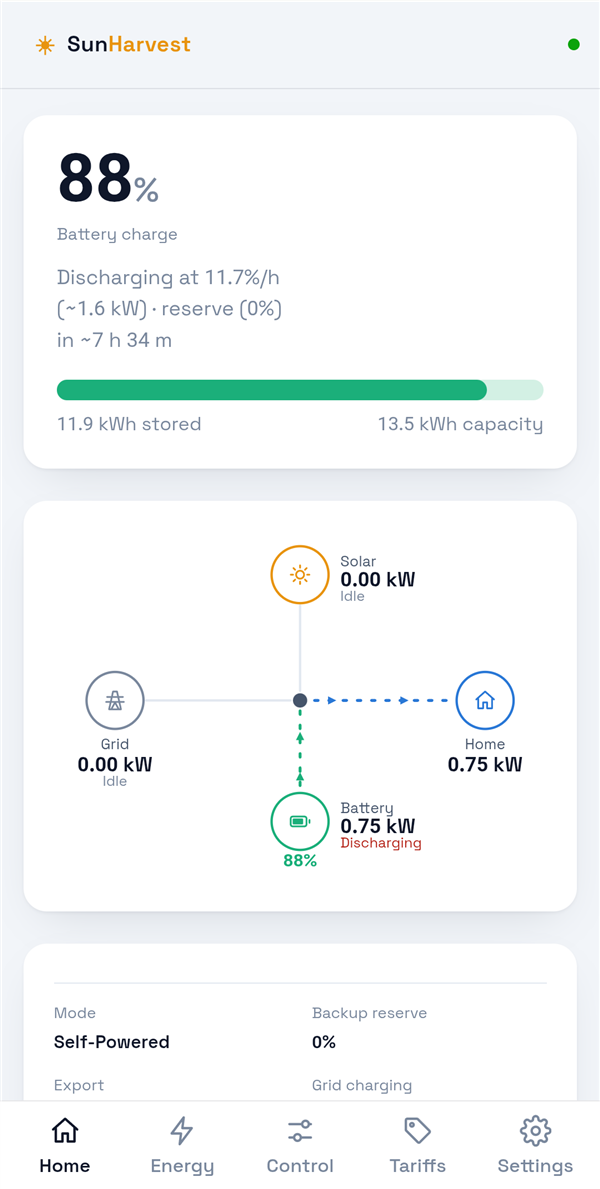
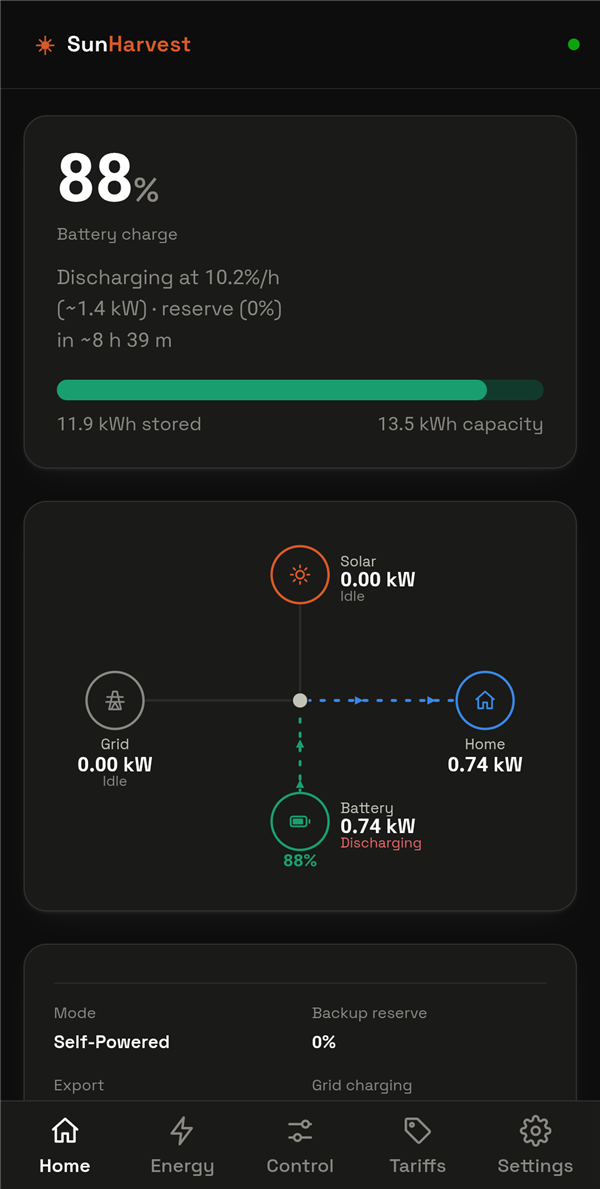
Everything your Powerwall is doing, in one place
Monitoring is free. Five screens — Home, Energy, Control, Tariffs, Settings — and nothing you have to configure to start seeing your system.
Live while you watch
Battery level, solar, house load and grid flow, pushed to the app while it is open: every 30 seconds on Pro and the trial, every five minutes on Free. Storm Watch and off-grid states show as soon as they are read.
Energy, past and forecast
History and forecast on one timeline — day, week, month, year. Today is what was recorded so far, then the weather-driven solar forecast for the rest of the day.
Your real prices, in front of you
Half-hourly import and export prices from Octopus Energy (Agile and more), or your own flat or time-of-use tariff. Cheapest window, peak and best export hour, today and tomorrow.
Every Powerwall setting, with its history
Backup reserve, operation mode, Storm Watch, export, grid charging and the off-grid vehicle reserve as plain rows, with a change log that says who changed what, and why.
Home screen widget
On Android, pick the figures you want — battery, solar, the money today, what fires next — and they sit on the home screen, kept fresh without opening the app.
Your language and currency
English, Deutsch, Français, Nederlands, Español and Italiano, with prices in your own currency. Set once on the account, it follows you to every device.
Rules that read like sentences
Automations you write yourself, on any account. Conditions on price, battery level, solar, time of day, month or the Powerwall's own state; actions on the reserve, mode, export, grid charging, Storm Watch and tariff.
set export to everything and backup reserve to 20%.
Then watch it work
The Control screen tells you who is in charge right now — the AI plan, your rules, or you — and what fires next. Every run lands in the change log, so a setting that moved never has to be a mystery.
Sites with an export cap
Built for homes whose export is limited: hold the battery back for the hours that pay, and still be full before the sun goes.
Or let the planner drive
AI mode is the Pro feature. Write what you want in plain words; the planner turns it into a rule set for your site, your tariff and tomorrow's weather, explains its reasoning, and re-plans as the forecast changes.
“Keep me above 30% for outages, export as much as you can in the evening peak, and never buy from the grid above 20p.”
- The planner reads your site, tariff, forecast and recent days.
- It writes a small set of rules and names each with its rationale.
- You see the plan, its history, and exactly what the planner saw.
Bring your own AI key — Google Gemini, Anthropic Claude, OpenAI, or any OpenAI-compatible endpoint — so the planner runs on your quota and your provider choice, not a shared one.
How it works
Create your account
Email and a password, confirm the address from the email we send, and you are in.
Connect your Tesla
Sign in with Tesla and grant energy access. SunHarvest never sees your Tesla password, and you can revoke access from your Tesla account at any time.
Add your tariff
Pick your Octopus product and region, or enter your own import and export prices and time-of-use windows.
Write a rule, or a goal
Rules run on any account. On Pro, tell the planner what you want and let it run the day.
Plans
Monitoring stays free. Every new account starts with a 30-day trial of the full product, then becomes Free unless you upgrade. Nothing is deleted when a trial ends.
| Free | Trial first 30 days | Pro a month | |
|---|---|---|---|
| Live view, energy history and forecast, tariffs, home screen widget | ✓ | ✓ | ✓ |
| Manual Powerwall controls and your own rules | ✓ | ✓ | ✓ |
| Fast lane while the app is open — fresh figures every 30 seconds (Free updates every 5 minutes) | — | ✓ | ✓ |
| AI mode: the planner, and every rule it wrote | — | ✓ | ✓ |
| The Saved panel: what your solar saved you against a day with no solar or battery, every day and every month | — | ✓ | ✓ |
| The local gateway on a Powerwall 3 (Android app): each solar string, and a live view straight from the unit while you are at home | — | ✓ | ✓ |
| Compare tariffs: your own history replayed against every Octopus tariff for your region, with the battery run the best way for each | — | ✓ | ✓ |
| Ads | a small card on each screen, and an occasional one between screens | small cards only | none |
Pro is a monthly subscription a month, a subscription you can cancel any time — upgrade from Settings › Subscription in the app, and manage or cancel it there too.
Guides and articles
Everything SunHarvest does, written down, plus plain-English explainers on getting the most from a home battery.
Getting started
From a new account to a Powerwall that runs itself in about twenty minutes.
Writing rules
Triggers, conditions and actions, with rules other owners use every day.
AI mode
Getting a free Gemini key, writing a goal, and letting the planner drive.
Storm Watch explained
What triggers a fill, what it overrides, what it does to a battery run on cheap windows, how much it can cost on a time-of-use tariff, and how to keep the protection with your own rules.
Free electricity sessions
How the sessions work, what an hour is honestly worth, what to fill and in what order, why the rest of the day needs a different plan, and a rule group that runs it without you.
A Powerwall in a power cut
The switch-over, what keeps running and what does not, why the solar carries on, how long a charge lasts, what the reserve really does, and what to expect when the grid comes back.
Questions
Which systems does it work with?
Any Tesla Powerwall the Tesla app can see — Powerwall 2, Powerwall+ and Powerwall 3 — because SunHarvest talks to Tesla's servers through the same Fleet API for all of them, so it works wherever you are. It is built and run every day on a Powerwall 3 with solar; a Powerwall 2 site uses exactly the same interface. Two extras need a Powerwall 3 and the Android app (Pro and the trial): each solar string, and the live view read over your home network.
Is my Tesla password stored anywhere?
No. You sign in on Tesla's own page and Tesla hands SunHarvest a token limited to energy data and commands. Tokens are encrypted at rest, and you can revoke SunHarvest from your Tesla account whenever you like.
What does it cost?
Monitoring, manual controls and your own rules are free, with ads. Pro is a monthly subscription a month and adds AI mode, the Saved panel, the fast lane, the tariff comparison and the local gateway, with no ads. Every new account starts with 30 days of Pro, and no card is asked for until you choose to upgrade. See the plans.
Do I need an AI subscription for AI mode?
You use your own key from Google Gemini, Anthropic, OpenAI or any OpenAI-compatible service. Gemini's free tier is enough to run a household plan.
Which tariffs are supported?
Octopus Energy products with published half-hourly prices — Agile import and export among them — picked by product and region and refreshed automatically, plus any flat or time-of-use tariff you enter yourself, for either direction.
Is there a phone app?
Yes — an Android app with a configurable home screen widget, on Google Play. The web app works in any modern browser, on a phone or a desktop.
What happens to my data if I leave?
Settings › Data deletes your history or your whole account, at once and for good. The privacy policy lists exactly what is collected and why.